以 PDF 格式下载
PDF
添加到投资组合
7509/D
ELVOX Door entry system / 2F/2F+ video door entry system / Indoor stations / Tab Series
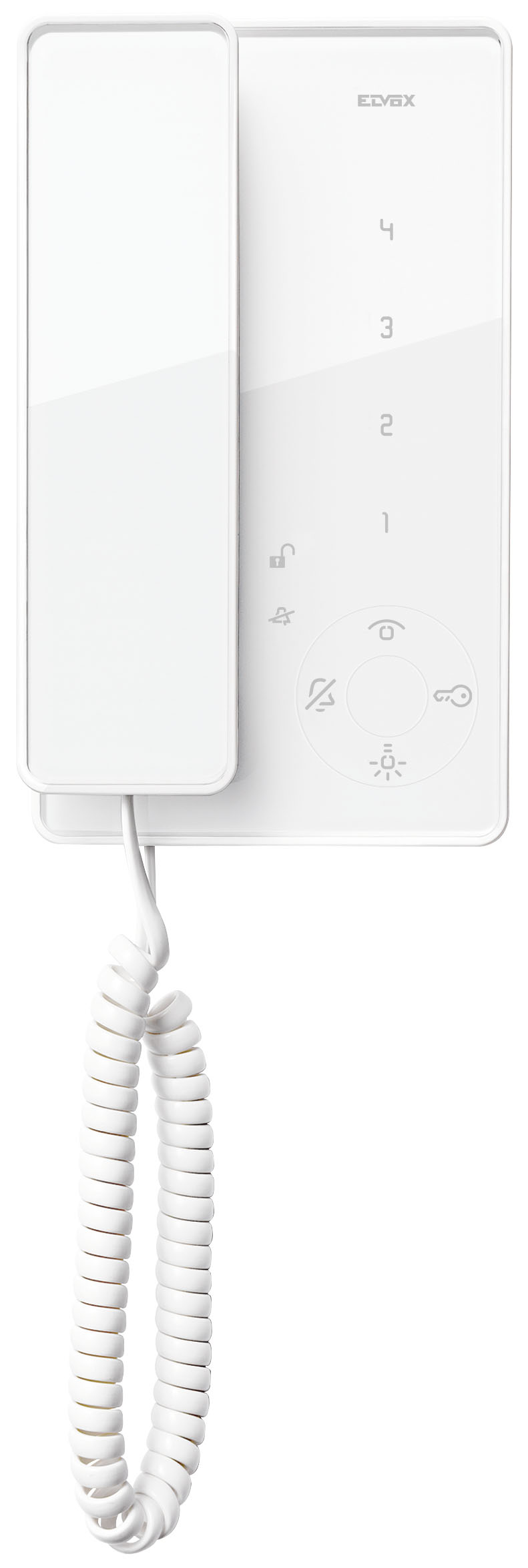
Tab h-o-h interphone w/handset, white
Surface mounting Tab interphone for Due Fili system with handset, loudspeaker for electronic calls, capacitive keypad for interphone functions and intercom calls, facility for hard of hearing function, screws for fixing in round or rectangular mounting box, white
产品状态
2 - Will be discontinued
您可能也感兴趣


Class group
Communication technique (components and systems)
Communication technique (components and systems)
Class
Indoor station door communication
Indoor station door communication
With video
No
No
Installation technique
2-wire
2-wire
Mounting method
Surface mounted
Surface mounted
Material
Other
Other
With memory function
No
No
Overhear protected
Yes
Yes
Operation door lock
Yes
Yes
Control extra function(s)
No
No
Hands free
No
No
Function lamps
Yes
Yes
Can be connected to smartphone
No
No
Zoom, pan/tilt function
No
No
Screen diagonal
0,00 mm
0,00 mm
Screen diagonal (inch)
0,00
0,00
Hearing aid compatible
Yes
Yes
With automatic door opener
No
No
Colour
White
White
Type of interface
Other
Other
Mutable call tone
Yes
Yes
Internal communication
Yes
Yes
Specific call tone
Yes
Yes
Additional device connectable
No
No
With touch screen
No
No
Compatible with Apple HomeKit
No
No
Compatible with Google Assistant
No
No
Compatible with Amazon Alexa
No
No
IFTTT support available
No
No




最小订单数量: 1 NR
条形码

8013406226846
1 NR
22.5x21.7x8.4 [cm]
646 [g]

8013406229656
8 NR
51.3x34.6x27.2 [cm]
5,168 [g]

8013406305251
10 NR
28x24.5x21 [cm]
6,460 [g]
| 问题: | How do you encode door entry units art. 7509 - Tab series - setting the primary and secondary identifier? |
|---|---|
| 回答: | Encoding the main ID code: 1_ Lift the handset and press the Bell and Self-start buttons, holding them down until the Bell button starts to flash. 2_ Release the buttons. 3_ Within 5 seconds from release, press the Lock button and hold down until a warning beep is given from the indoor station, and communication between this and the external electronic unit has been established. 4_ Release the Lock button. 5_ Press the button (which?) or type in the code you wish to assign into the entrance panel. Encoding the secondary ID code: Lift the handset and press the Bell and Self-start buttons, holding them down until the Bell button starts to flash. 2_ Release the buttons. 3_ Within 5 seconds from release, press the Lock and Self-start buttons and hold down until a warning beep is given from the indoor station, and communication between this and the external electronic unit has been established. 4_ Release the Lock and Self-start buttons. 5_ Press the button (which?) or type in the code you wish to assign into the entrance panel. |
找不到您想要的答案吗?
分享

合法
Vimar保留随时修改所示产品的特性的权利,恕不另行通知。 安装必须由符合资质的人员执行,严格遵守所在国家现行的电气材料安装相关规定。 有关产品卡信息的使用条件,请参阅 使用条件。