Tab h-o-h interphone w/handset, whiteCode 7509/D
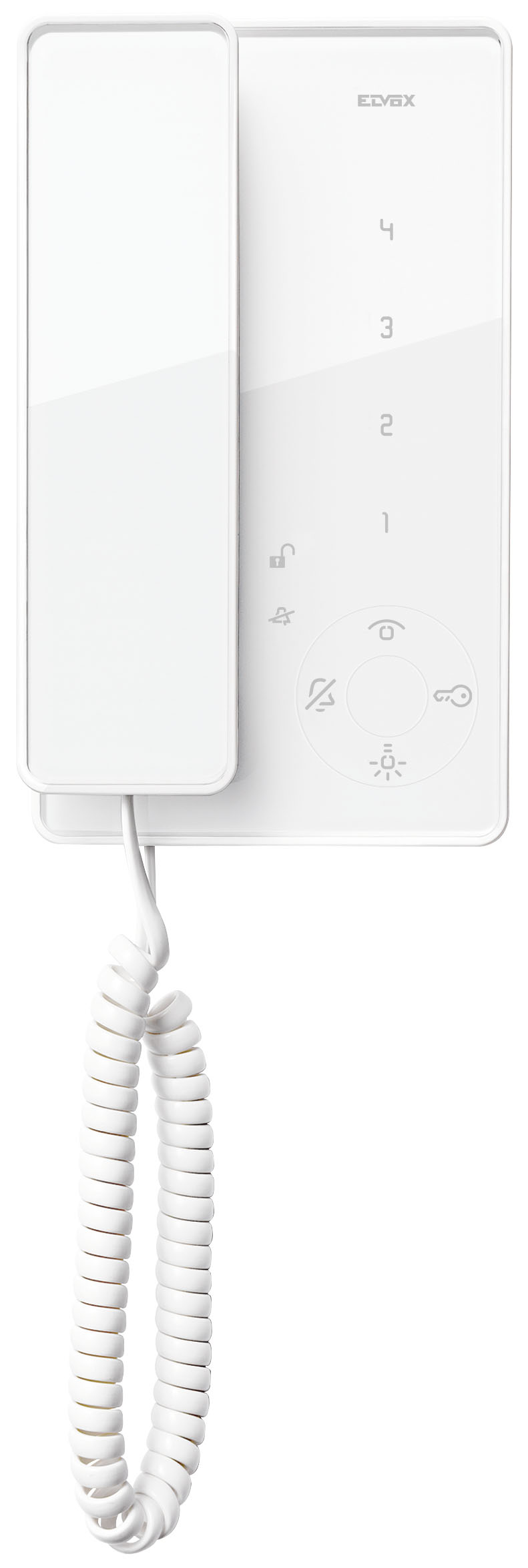
- 7509/D
- ELVOX Door entry system / 2F/2F+ video door entry system / Indoor stations / Tab Series
- Tab h-o-h interphone w/handset, white
- Surface mounting Tab interphone for Due Fili system with handset, loudspeaker for electronic calls, capacitive keypad for interphone functions and intercom calls, facility for hard of hearing function, screws for fixing in round or rectangular mounting box, white
- Product Status
- 2 - Will be discontinued
You may also be interested in


Sheets, Manuals, Documentation
Class group
Communication technique (components and systems)
Communication technique (components and systems)
Class
Indoor station door communication
Indoor station door communication
With video
No
No
Installation technique
2-wire
2-wire
Mounting method
Surface mounted
Surface mounted
Material
Other
Other
With memory function
No
No
Overhear protected
Yes
Yes
Operation door lock
Yes
Yes
Control extra function(s)
No
No
Hands free
No
No
Function lamps
Yes
Yes
Can be connected to smartphone
No
No
Zoom, pan/tilt function
No
No
Screen diagonal
0,00 mm
0,00 mm
Screen diagonal (inch)
0,00
0,00
Hearing aid compatible
Yes
Yes
With automatic door opener
No
No
Colour
White
White
Type of interface
Other
Other
Mutable call tone
Yes
Yes
Internal communication
Yes
Yes
Specific call tone
Yes
Yes
Additional device connectable
No
No
With touch screen
No
No
Compatible with Apple HomeKit
No
No
Compatible with Google Assistant
No
No
Compatible with Amazon Alexa
No
No
IFTTT support available
No
No




Minimum order quantity: 1 NR
Barcode

8013406226846
1 NR
22.5x21.7x8.4 [cm]
646 [g]

8013406229656
8 NR
51.3x34.6x27.2 [cm]
5,168 [g]

8013406305251
10 NR
28x24.5x21 [cm]
6,460 [g]
| Question: | How do you encode door entry units art. 7509 - Tab series - setting the primary and secondary identifier? |
|---|---|
| Answer: | Encoding the main ID code: 1_ Lift the handset and press the Bell and Self-start buttons, holding them down until the Bell button starts to flash. 2_ Release the buttons. 3_ Within 5 seconds from release, press the Lock button and hold down until a warning beep is given from the indoor station, and communication between this and the external electronic unit has been established. 4_ Release the Lock button. 5_ Press the button (which?) or type in the code you wish to assign into the entrance panel. Encoding the secondary ID code: Lift the handset and press the Bell and Self-start buttons, holding them down until the Bell button starts to flash. 2_ Release the buttons. 3_ Within 5 seconds from release, press the Lock and Self-start buttons and hold down until a warning beep is given from the indoor station, and communication between this and the external electronic unit has been established. 4_ Release the Lock and Self-start buttons. 5_ Press the button (which?) or type in the code you wish to assign into the entrance panel. |
Didn't find the answer you were looking for?
Share

Legal
Vimar reserves the right to change at any time and without notice the characteristics of the products reported. Installation should be carried out by qualified staff in compliance with the current regulations regarding the installation of electrical equipment in the country where the products are installed. For the terms of use of the information on the product info sheet see Conditions of Use.